View memoQ Ecosystem


memoQ Ecosystem
Manage and automate memoQ translation projects directly from your Monday.com workspace.
The integration connects Monday.com boards with memoQ automated projects, allowing seamless translations without switching tools.
With the integration, you can perform the following actions directly from Monday.com’s board:
- Create projects using memoQ templates
- Select source and target languages
- Upload documents for translation
- Assign single or multiple users and set deadlines
- Retrieve word counts
- Open translation and review tasks in memoQweb
- Open memoQ projects in memoQweb
- Download translated Monday.com documents
- Add custom columns in Monday.com for project management
How It Works:
The integration combines the flexibility of Monday.com boards with memoQ’s automation capabilities to support translation management for Monday.com content. It consists of:
- A middleware application hosted either alongside memoQ TMS private cloud or in the customer’s environment
- Webhook configuration in Monday.com to communicate with the middleware
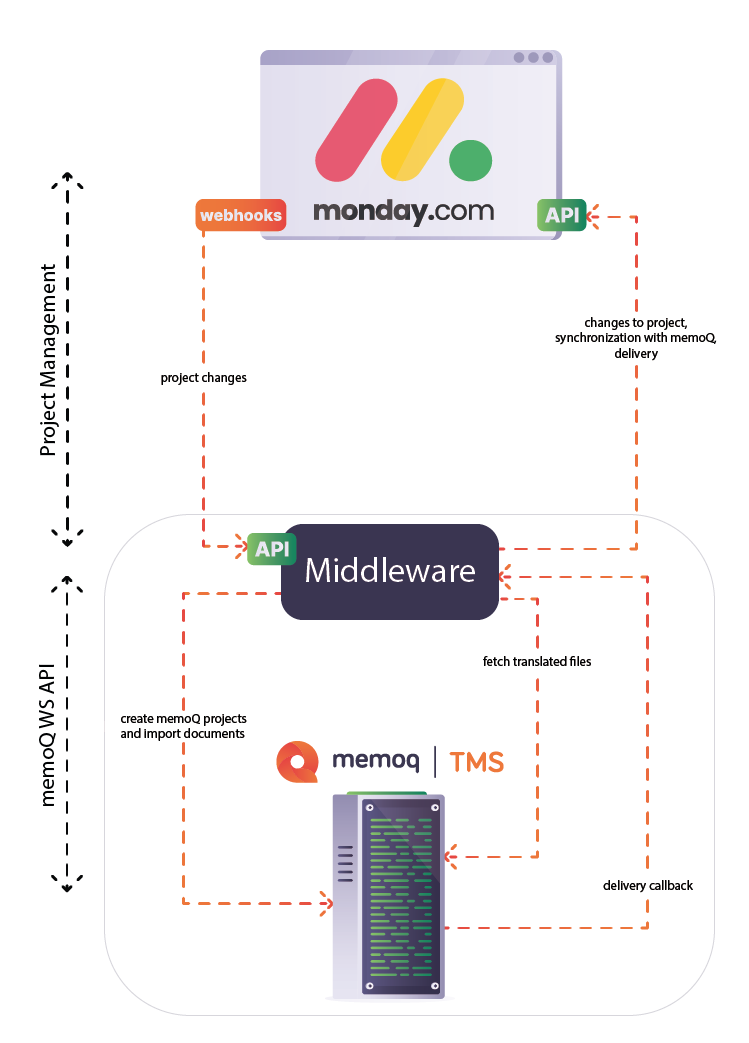
Boards and Data Flow
- The setup uses four boards in Monday.com, each with a specific function for managing localization projects created from Monday.com:Integration board (main board): Holds memoQ projects and their documents. It includes columns for source and target languages, templates, assignments, source files, and memoQ metadata. The language and template columns are connected to their respective boards. Additional custom Monday.com columns can be added if needed.
- Assignments board: Shows memoQ workflow steps and provides a detailed overview of assignments. It supports single-user assignments, First Accept, and GroupSourcing.
- Languages board: Stores the mapping of language codes. It is synchronized with memoQ whenever a new project is created.
- Templates board: Lists memoQ project templates. This board is also synchronized when new projects are created.
Each item on the main board represents one memoQ project, which can contain multiple files. After project creation, memoQ imports the files according to template or default settings, and subtasks and assignments appear automatically on the appropriate boards. Links to memoQweb projects and tasks are filled in once memoQ has created the project. The status column updates automatically through Active, Processing, Completed, Error, and Wrapped Up.
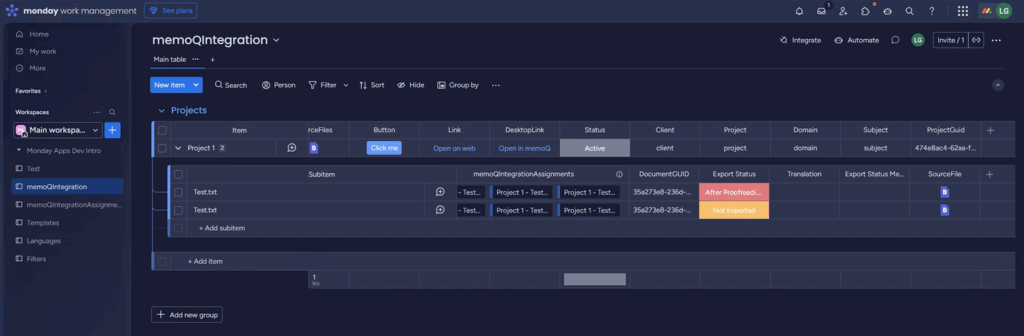
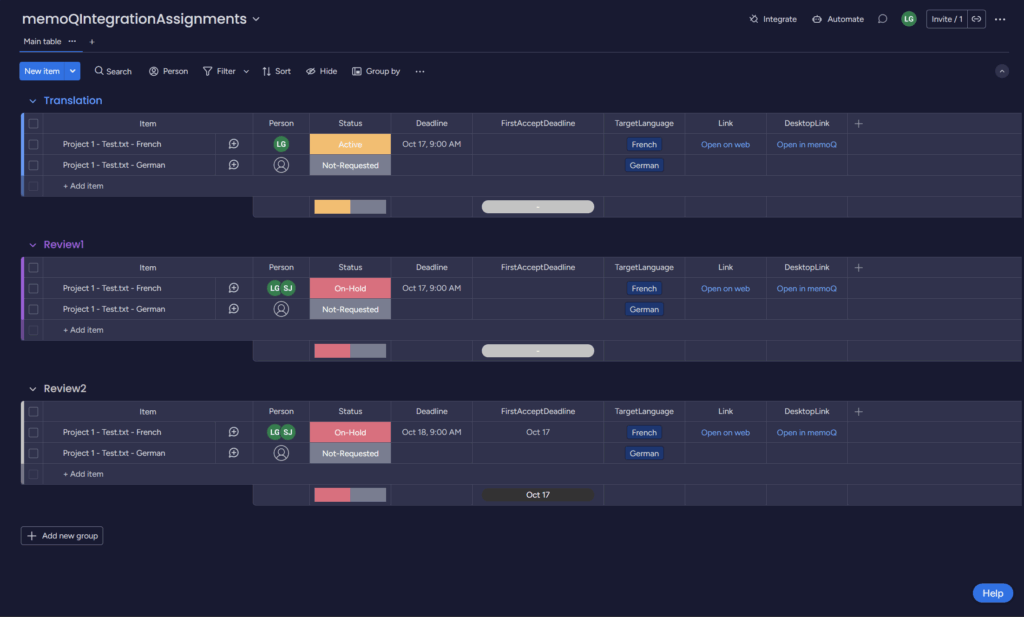
User Mapping
Users in Monday.com are matched to memoQ users by email address. The email must be the same in both systems for assignments to work.
Automation with Webhooks
Monday.com automations must be configured so that webhooks send project-related updates to the middleware. These updates include new items, file uploads, status changes, and assignment changes, and trigger the corresponding actions in memoQ.
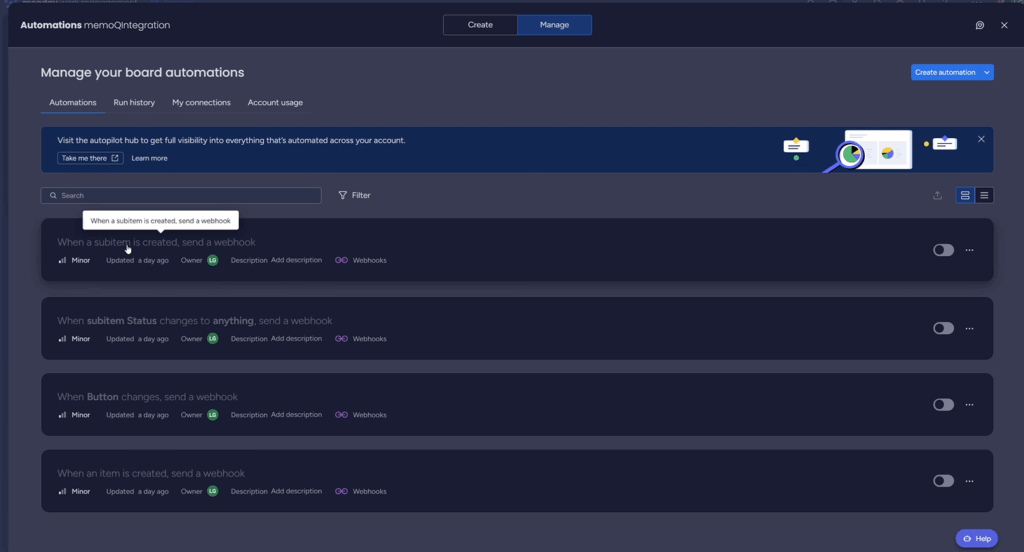
Customizations
Column names linked to memoQ are fixed by default but can be changed on request. Additional workflow or integration customizations can be arranged with the memoQ Business Services team.